Building Design Systems and Component Libraries
How to create reusable UI component libraries that scale across projects. Covers architecture decisions, documentation, testing, and versioning.
Author
Robert Baker
Published
Read time
3 min read

A design system is more than a component library. It’s a shared language between design and engineering that ensures consistency, speeds up development, and reduces bugs.
Why Build a Design System?
Without a design system, teams end up with:
- Inconsistent UI — every developer builds buttons slightly differently
- Duplicated effort — the same dropdown component exists in three variations
- Design drift — the product slowly diverges from the original design intent
- Slow onboarding — new developers don’t know which patterns to follow
A design system solves these by providing a single source of truth.
Architecture Decisions
Framework Choice
Your component library needs to work everywhere your team builds UI:
- Framework-agnostic (HTML/CSS): Maximum portability. Works with Astro, plain HTML, any framework. Our
@r5i/uipackage takes this approach with 75+ Astro/HTML components. - React-specific: Best DX for React teams. Radix UI, shadcn/ui.
- Web Components: True framework agnostic, but worse DX than framework-specific libraries.
Styling Strategy
The landscape has shifted significantly:
/* Tailwind CSS 4 with @theme — our preferred approach */
@theme {
  --color-primary: oklch(0.55 0.2 260);
  --color-secondary: oklch(0.65 0.15 150);
  --radius-default: 0.5rem;
  --font-sans: "Inter", system-ui, sans-serif;
}
Tailwind CSS with design tokens gives you:
- Consistent spacing, color, and typography scales
- Easy theming through CSS custom properties
- No CSS-in-JS runtime overhead
Component API Design
Good component APIs are:
- Composable — small pieces that combine flexibly
- Consistent — similar components have similar props
- Accessible — ARIA attributes built in, keyboard navigation works
---
// A well-designed component API
interface Props {
  variant?: "primary" | "secondary" | "ghost";
  size?: "sm" | "md" | "lg";
  disabled?: boolean;
  class?: string;
}

const { variant = "primary", size = "md", disabled = false, class: className } = Astro.props;
---
<button
  class:list={["btn", `btn-${variant}`, `btn-${size}`, className]}
  disabled={disabled}
>
  <slot />
</button>
Documentation
A component library without documentation is a component library nobody uses. Essential docs include:
- Live examples — interactive demos of every component variant
- Props reference — every prop, its type, default value, and description
- Usage guidelines — when to use this component vs alternatives
- Accessibility notes — keyboard behavior, screen reader expectations
Storybook remains the standard for React component documentation. For Astro/HTML components, a dedicated docs site with live examples works well.
Testing Components
Test at multiple levels:
- Unit tests — render the component, assert output HTML structure
- Visual regression tests — screenshot comparisons to catch unintended changes
- Accessibility tests — automated a11y checks with axe-core
- Integration tests — verify components work together in realistic layouts
import { expect, test } from "bun:test";

test("Button renders with correct variant class", () => {
  const html = renderComponent(Button, { variant: "secondary" });
  expect(html).toContain('class="btn btn-secondary');
});
Versioning and Distribution
Semantic Versioning
- Patch (1.0.x) — bug fixes, no API changes
- Minor (1.x.0) — new components or props, backward compatible
- Major (x.0.0) — breaking changes to existing component APIs
Monorepo Distribution
In a monorepo, your design system is a workspace package consumed by other packages:
{
  "dependencies": {
    "@r5i/ui": "workspace:*"
  }
}
This gives you instant updates across all consuming projects without publishing to npm.
Start Small
You don’t need 100 components on day one. Start with:
- Button, Input, Select (form primitives)
- Card, Modal, Dropdown (layout primitives)
- Typography, spacing, and color tokens
Expand based on actual usage patterns, not speculation.
Share this article
Get expert development help fast
Our engineering team turns complex ideas into production-ready software tailored to your business.
Post essentials
- Published on February 1, 2026 with real-world implementation examples.
- Designed for fast implementation with 3 min read worth of guidance.
- Validated by Robert Baker team.
Expert contributor
Robert Baker
Robert Baker cares deeply about reliable, well-architected solutions. Every guide we publish is battle-tested in real projects before it reaches the blog.
Browse more articlesShare article
Help your peers level up — share this article with colleagues who'd find it useful.
Email this articleContinue leveling up your engineering skills
Dive deeper with related guides chosen to complement this topic and accelerate your next project.
 Field-tested
 Mobile-First Web Development in 2026
How to build fast, responsive websites that work beautifully on every device. Covers responsive design, performance budgets, and Core Web Vitals.
 Field-tested
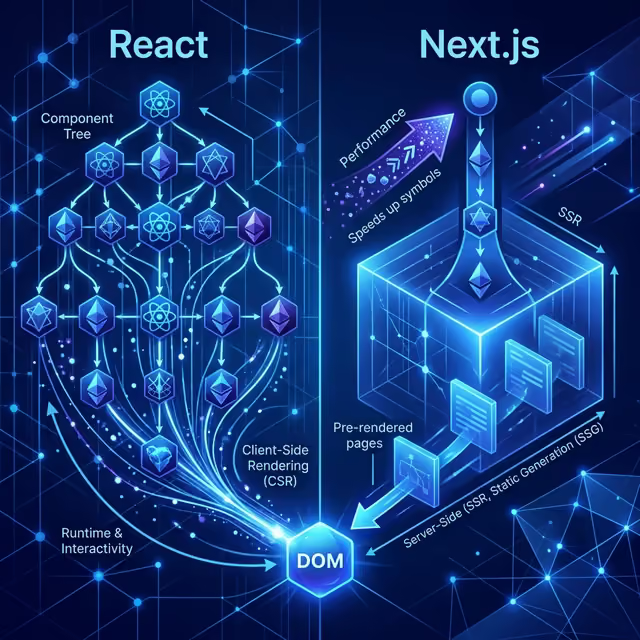
 React vs Next.js: When to Use Each in 2026
A practical comparison of React SPA and Next.js for different project types. Learn when a simple React app is enough and when you need server-side rendering.
 Field-tested
 Pragmatic API Versioning for Growing Platforms
A practical API versioning playbook for teams balancing rapid feature delivery with backwards compatibility, partner trust, and long-term maintainability.
Get engineering insights every week
Subscribe for framework updates, architecture patterns, and deep dives tailored to busy engineering teams.
Subscribe to Our Newsletter
Get tech tips, special offers, and updates delivered to your inbox.